Reset user PIN
If users forget their card PIN or block their card, you can reset the PIN. The new PIN is set to the value specified in Card Types settings.
info
If you enable the Initialize card option in policy settings (Issuance), the card PIN changes to the value specified in the card type's initialization parameters.
To reset the card PIN:
- Navigate to the user's profile.
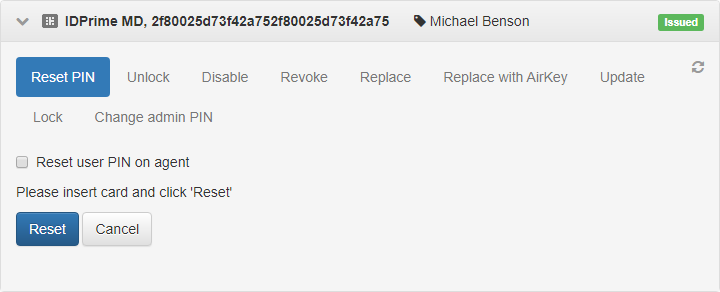
- Select Reset PIN in the card menu.
- Connect the card to the workstation and click Reset. If you do not have access to the card, enable the Reset PIN on agent option to create a task for the agent installed on the user's workstation.
After you reset the PIN, the user can set a new PIN in the Self-Service.
Allow users to reset card PINs in the Self-Service
You can allow or prevent users from resetting card PINs in the Self-Service. To configure the permission:
- Open the Configuration section, navigate to the policy settings and go to Workflow → User permissions → Issued card operations.
- Enable the Reset user PIN option.