Email OTP
Files for the Email OTP Provider installation are located at axidian\Axidian Providers\Email OTP Provider\<Version number>\.
- AuthProviders.SMTP-x64.msi: The installation package of Email OTP Provider.
- \Misc: The folder contains policy templates.
About Email OTP Provider
Email OTP Provider requires an email server. This email server must be accessible from every Access Manager server where Email OTP is installed.
To use the authenticator, a user must define an email address in the mail attribute. Otherwise, the authenticator will not be available.
Authenticator registration in User Console is not required.
Use Email OTP Provider for user authentication with one-time passwords sent through email.
A one-time password is a random combination of digits, special characters and Latin characters. A password is generated by Axidian Core Server. The result is sent to the Email delivery service. The Email delivery service sends it to a user in the form of email message. Data is transmitted through SMTP protocol (Simple Mail Transfer Protocol).
Install the provider
- To install Email OTP, run the AuthProviders.SMTP-x64.msi installer.
- After the installation is complete, restart the system. If the installation wizard prompts you to restart the system, confirm this action.
- To remove or restore the product, open the Control panel menu and use the standard procedure for the supported operating systems.
Configure mail attribute
To change the default attribute, add parameters to the Core Server configuration file (Web.config):
- Add the
userMapRulesparameter to theadUserCatalogProvidertag. - Add
adObjectMapRuleto theuserMapRulestag with the following parameters:attribute="Email": Defines the modified parameter.adAttribute="otherMailbox": Specifies the Active Directory attribute to the receive value from.
- Add the
objectTypeSettingsparameter. - Add the
objectSettingparameter with thecategory="person" class="user"parameters.
Example
<adUserCatalogProvider id="userId" serverName="ind.loc" containerPath="DC=ind,DC=loc" userName="userAdmin" password="Q1q2E3e4">
                <userMapRules>
                        <adObjectMapRule attribute="Email" adAttribute="otherMailbox"/>
                    <objectTypeSettings>
                        <objectSetting category="person" class="user"></objectSetting>
                    </objectTypeSettings>
                </userMapRules>
        </adUserCatalogProvider>
Configure authentication parameters
Before you proceed, add the Axidian policy templates to the administration template list. Policy template files are included into the installation package and and are located at the Misc folder.
SMTP server settings
The policy applies to all Axidian servers. Use this policy to configure the following settings to use with SMTP server:
- Server (DNS name, IP address): Address of the server to connect to.
- Port: Connection port to use.
- Server timeout: Server response timeout in seconds.
- Connection type: Type of connection. Possible values: insecure, TLS or SSL.
- Username: Account name to connect to the server.
- Password: Account password to connect to the server.
- One-time password in message subject: If enabled, the one-time password is specified in the message subject. Otherwise, it is specified in the message text.
- Message text: Sender name and email address, subject and text of the message.
Indicate the location of one-time password in the text of a message with the corresponding tag.
Example: Your one-time password <otp>.
If the one-time password in message subject is enabled, indicate the location of one-time password in the message subject.
Not Configured or Disabled
If this policy is not configured or disabled, Email OTP is not used for user authentication.
Enabled
If the policy is enabled, Email OTP is used for authentication according to the policy parameters.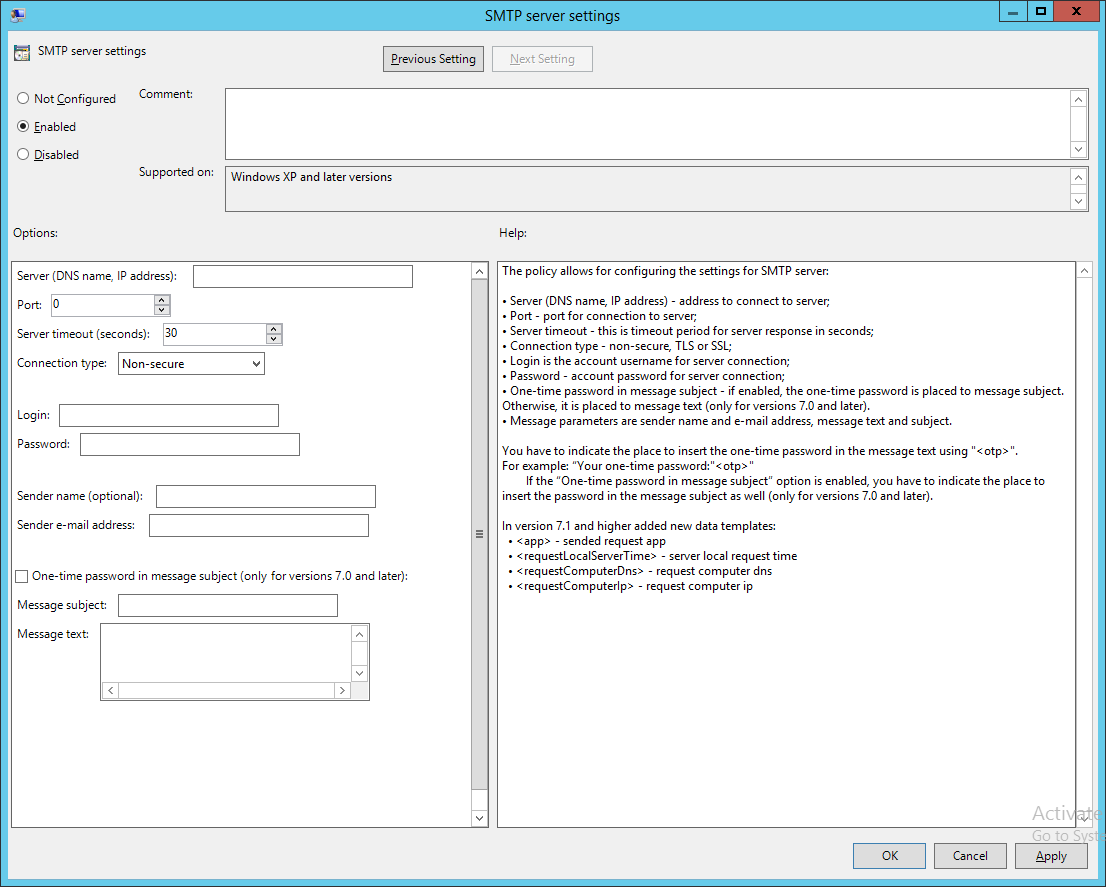
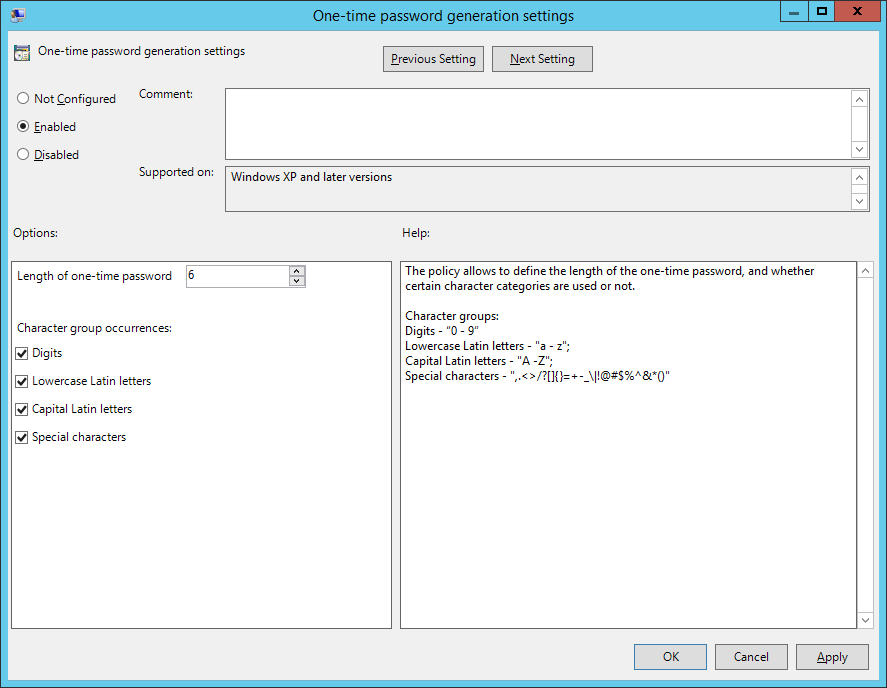
One-time password generation settings
The policy applies to Axidian servers. It allows configuring one-time password length and using character groups to generate passwords.
Not Configured or Disabled
If the policy is not configured or disabled, the generated password is 6 characters long and contains digits only.
Enabled
One-time password is generated according to the policy parameters. If the policy is enabled but no character category is defined, then the password contains digits only (the password length is 6 characters by default).