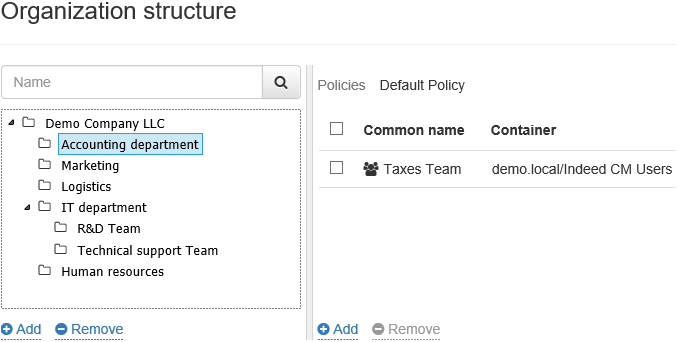
Organization structure
You can issue cards according to the defined rules. These rules are configured in card usage policies, which are applied to a specified node (set of objects). The policy node is a user catalog object, such as an Active Directory domain organizational unit.
The organization structure feature allows you to consolidate different user catalog objects under a single card usage policy.
Prerequisites
To allow access to organization structure management:
- Launch the Axidian CertiFlow Configuration Wizard and go to Common features.
- Activate the Organization structure option.
- Open the Management Console and navigate to Configuration → Roles.
- Grant role members the privileges for working with the organization structure:
- Viewing the organization structure
- Editing the organization structure
Manage organization structure objects
You can manage organization structure objects in Configuration → Organization structure**.
To add a new node, click Add and enter the node name. To delete a node, select it in the nodes list and click Remove.
To add objects to a node, select Add in the right pane of the organization structure editing window. The structure is built using user catalog objects.
Example