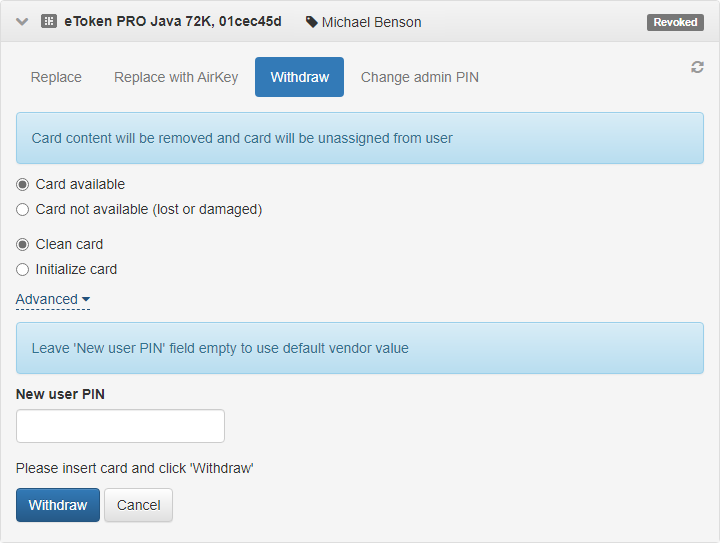
Withdraw
You can replace or withdraw a revoked card.
To withdraw a card:
In the Management Console side panel, go to the Users section and find the required user.
Open the user's profile, select the required card and click Withdraw in the card menu.
Depending on whether you have access to the card, select:
- Card available
- Card not available
If you do not have access to the card, click Withdraw.
If you have the card, connect it to the workstation and select the following options (optional):
Clean card
After you withdraw a card, all certificates written to the card using Axidian CertiFlow are deleted. Certificates, requests, and keys written on the card outside Axidian CertiFlow remain on the card.
Enter the User PIN to be set on the card after it is withdrawn. If you do not specify a user PIN, Axidian CertiFlow applies the PIN defined in the Card type settings.
cautionAlways specify a user PIN when you withdraw and clean the card if the PIN defined in the card type file does not meet the PIN requirements set for that card type in policy settings (Issuance → Card initialization).
Initialize card
After you withdraw a card, Axidian CertiFlow erases all data stored on it.
Axidian CertiFlow then applies the initialization parameters configured for the Initialize card while adding option in Configuration → Card Types.
Click Withdraw.