NPS RADIUS Extension
NPS RADIUS Extension (RADIUS Extension) is an extension for Microsoft Network Policy Server (NPS, is a part of Windows Server). It allows for implementation of two-factor authentication for RADIUS-compatible services and applications.
Files for the NPS Radius Extension installation are located at RADIUS Extension\<Version number>\.
- RADIUS.Extension-x64.msi: The installation package of NPS Radius Extension.
- /Misc/GroupPolicyTemplates (ADMX): Contains templates of group policies for advanced configuration of the server and providers.
Installation of Network Policy Server
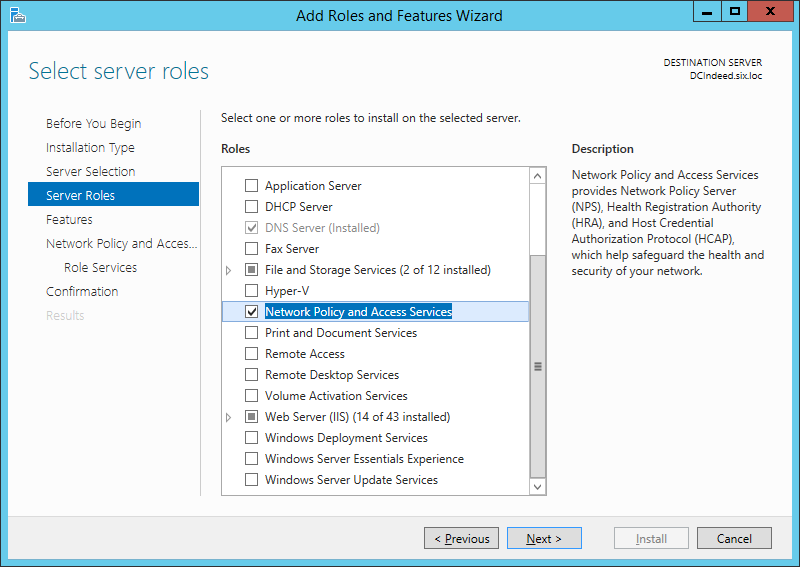
- Run Add Roles and Features Wizard.
- From the role list, select the Network Policy and Access Services role and confirm the installation of additional components.
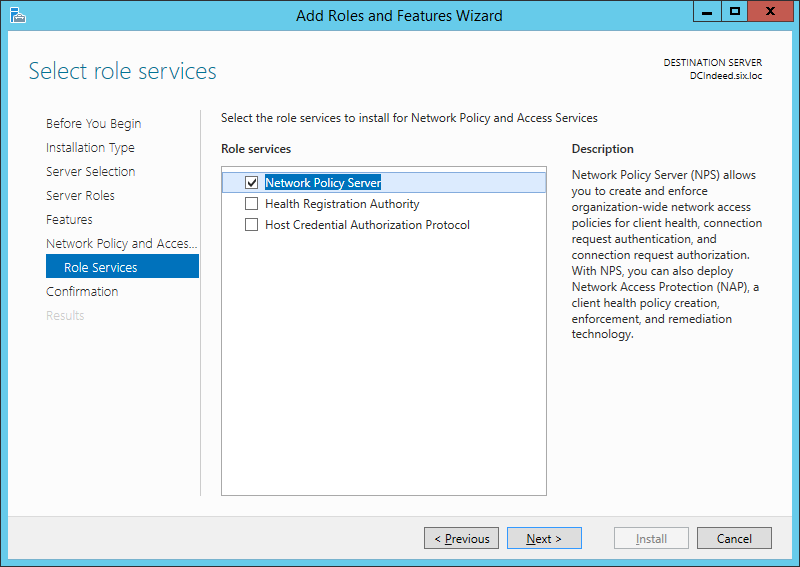
- From the Role Services list, select Network Policy Server.
- In the Confirm installation of components window, click Install.
Configuration of NPS server
Run Network Policy Server.
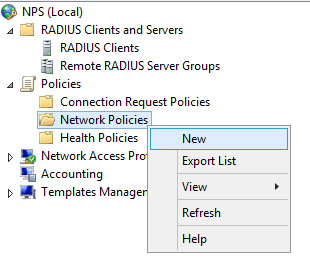
Right-click RADIUS → Clients → New document to add your VPN server to RADIUS clients.
infoIf you plan to use the CHAP authentication, activate Store the password using reversible encryption in the user account parameters and update user password.
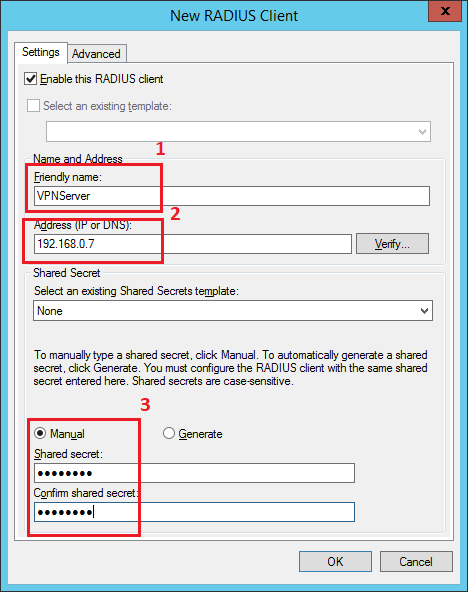
Configure the new RADIUS client:
Add the name for your VPN server. (1)
Specify the IP address of your VPN server. (2)
Define the private key to connect to the server. (3)
infoCommon private key is defined at the server and at the client upon connection.
Add a network policy for the RADIUS client connection.
Installation of NPS RADIUS Extension
Run RADIUS.Extension-x64.msi to install NPS RADIUS Extension.
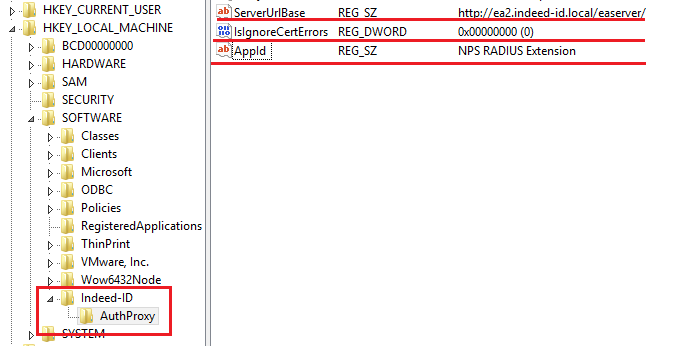
In HKEY_LOCAL_MACHINE\SOFTWARE\Axidian-ID\AuthProxy section, modify the following parameters:
- ServerUrlBase: URL of your Axidian Access Core Server.
- IsIgnoreCertErrors: Set value
0or1.
infoThis parameter is intended to verify the Axidian Access Core Server certificate. If you set this parameter to
1, certificate errors can be ignored.- AppId: NPS RADIUS Extension.
Policy configuration
Before configuring group policies, add the Axidian Access policy templates to the administration template list. Policy template files are included into the installation package and are located in the Misc folder.
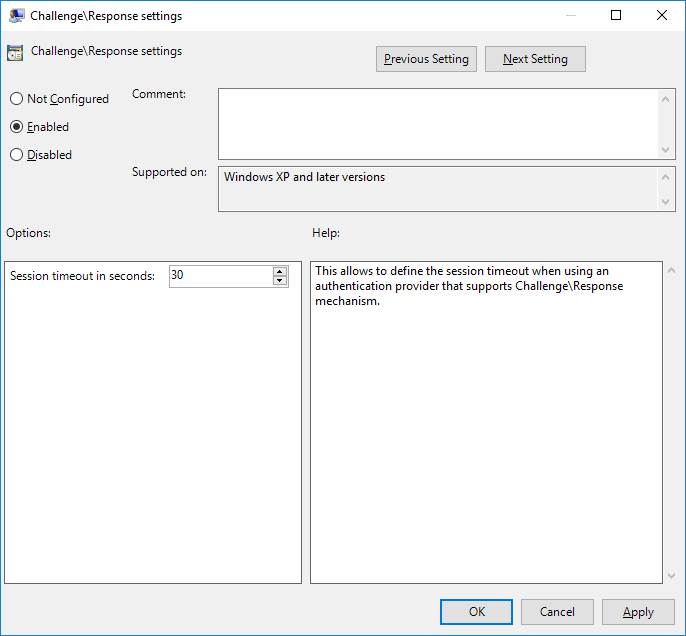
Challenge\Response setting
This setting allows you to define the session timeout when using an authentication provider that supports Challenge\Response mechanism.
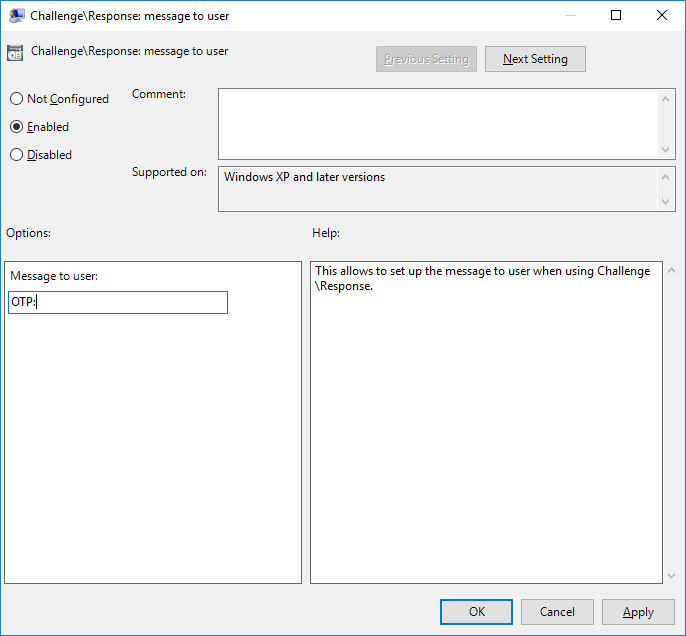
Challenge\Response: message to user
The policy makes it possible to define the message that is displayed to a user upon the second factor prompt.
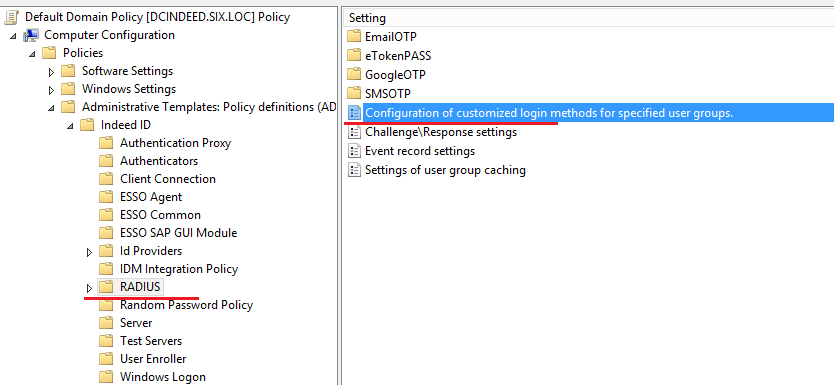
Configuration of customized login methods for specified user groups
Open Configure login methods for user groups for editing.
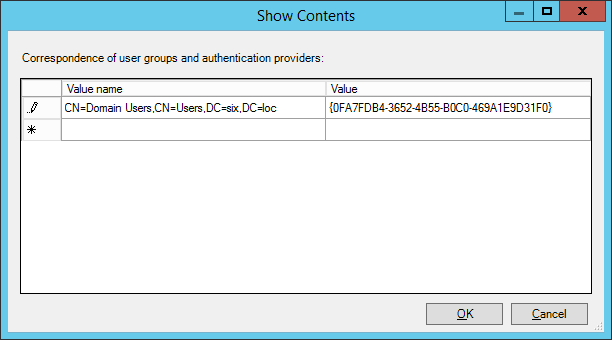
Enable the parameter and edit the contents.
Add the
distinguishedNameattribute value of your user group to the Value name parameter.Paste the key of the provider used as the Value parameter.
Supported providers
SMS OTP: {EBB6F3FA-A400-45F4-853A-D517D89AC2A3}
EMAIL OTP: {093F612B-727E-44E7-9C95-095F07CBB94B}
Software OTP: {0FA7FDB4-3652-4B55-B0C0-469A1E9D31F0}
HOTP Provider: {AD3FBA95-AE99-4773-93A3-6530A29C7556}
TOTP Provider: {CEB3FEAF-86ED-4A5A-BD3F-6A7B6E60CA05}
Axidian Key Provider: {DEEF0CB8-AD2F-4B89-964A-B6C7ECA80C68}
User group caching
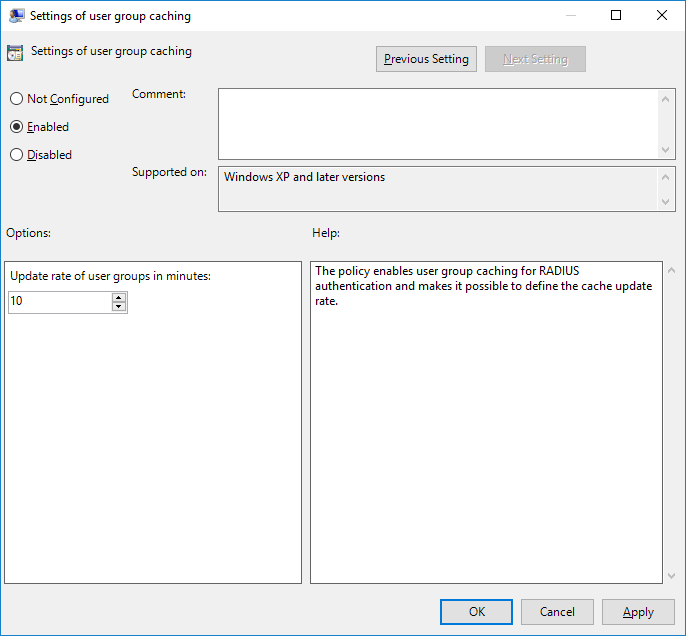
The policy enables user group caching for RADIUS authentication and makes it possible to define the cache update rate.
User name configuration
The policy allows you to configure usage of domain NetBIOS name in case the username is specified without the domain.
To enable the policy, select the following check box: Use NetBIOS domain name if a user name is specified without a domain name.
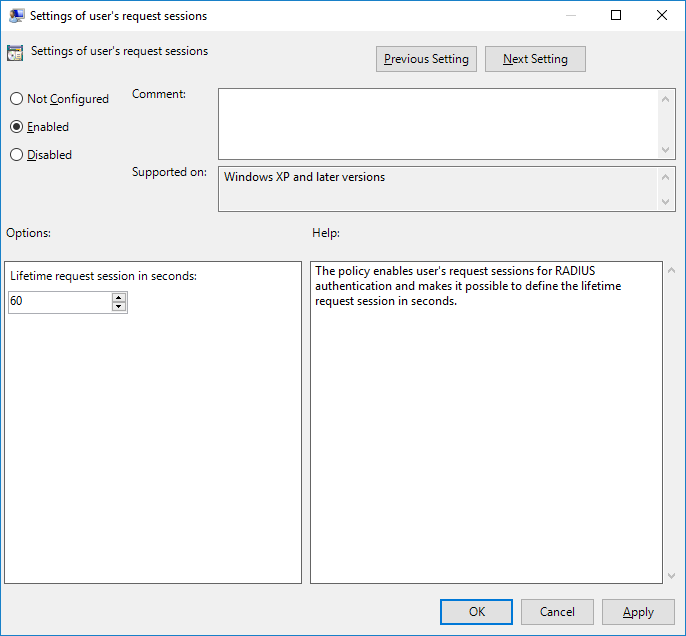
Settings of user's request sessions
The policy enables user's request sessions for RADIUS authentication and makes it possible to define the lifetime request session in seconds.